Your Plugins Have a Performance Cost. Now You Can See It.
A performance scanner built specifically for WordPress plugins.
Most performance tools tell you your site is slow. PHM tells you which plugin is making it slow, how much it costs you, and what to do next. It is the difference between "your site is slow" and "this plugin adds 340ms to page load."
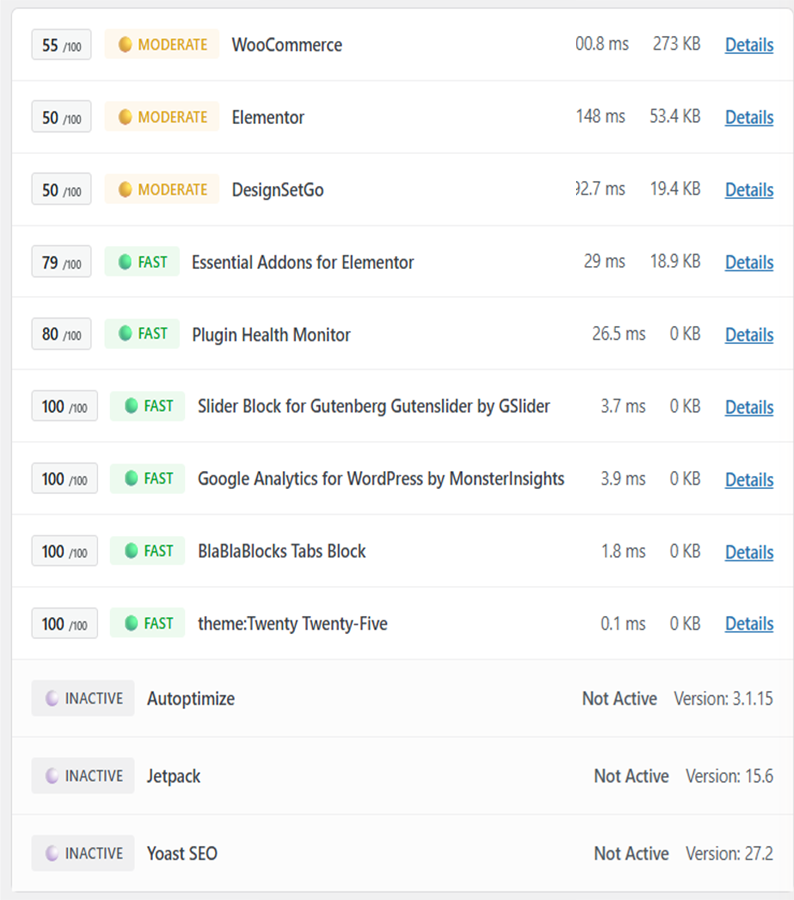
A real scan result from a production WordPress site with 23 active plugins.
What You See After a Scan
Per-plugin health labels based on measured timing and frontend asset impact.
Plugin-by-plugin timing (ms) and asset weight (KB) in one place.
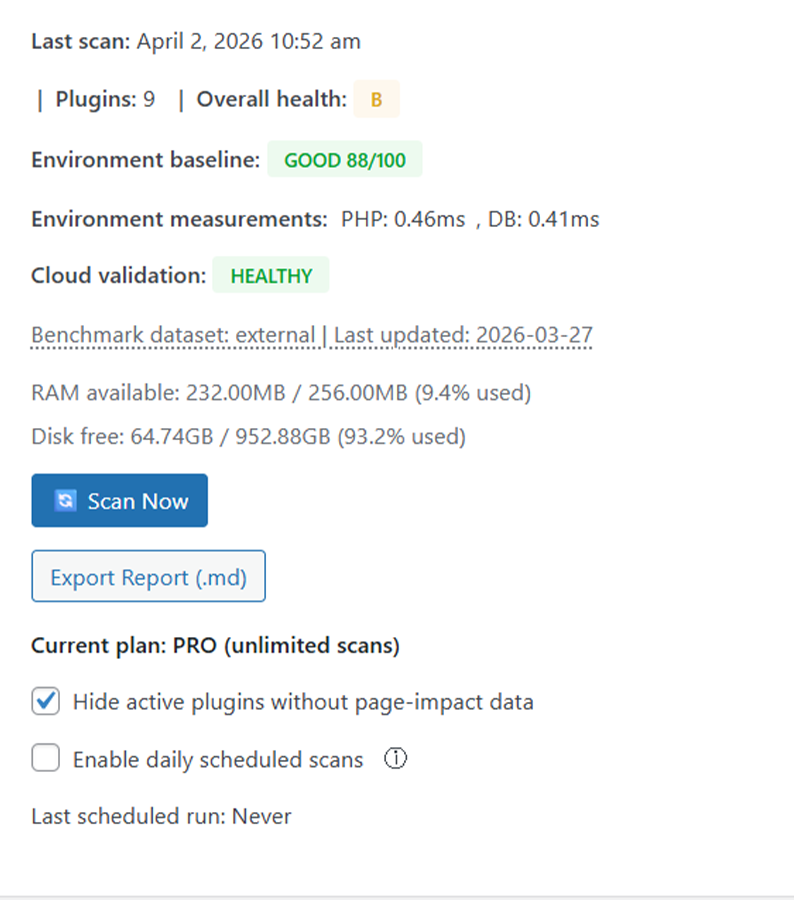
Scan diagnostics for partial runs and cloud connectivity issues.
Simple guidance on what to check first.
Built for Real WordPress Work
Install the plugin, click Scan, and review results. No complicated setup.
Runs in your WordPress admin, so you do not need a separate app.
Highlights what to review first and helps you validate changes with follow-up scans.
Scales with you - free tier is available, and Pro unlocks higher scan limits, advanced diagnostics, and priority support.
Start with the free tier. Upgrade only if you need more.
External Services & Data
PHM connects to the following external services to deliver its features:
• PHM Cloud API (api.pluginhealthmonitor.com) - scan access checks, plan enforcement, and license-related service flows.
• Paddle (paddle.com) - payment processing and subscription management. Paddle acts as the Merchant of Record.
• PHM License Server - license validation and activation management.
The free version of PHM operates entirely within your WordPress installation. No data is sent to external servers unless you opt into cloud features with a Pro subscription. See our Privacy Policy for full details.